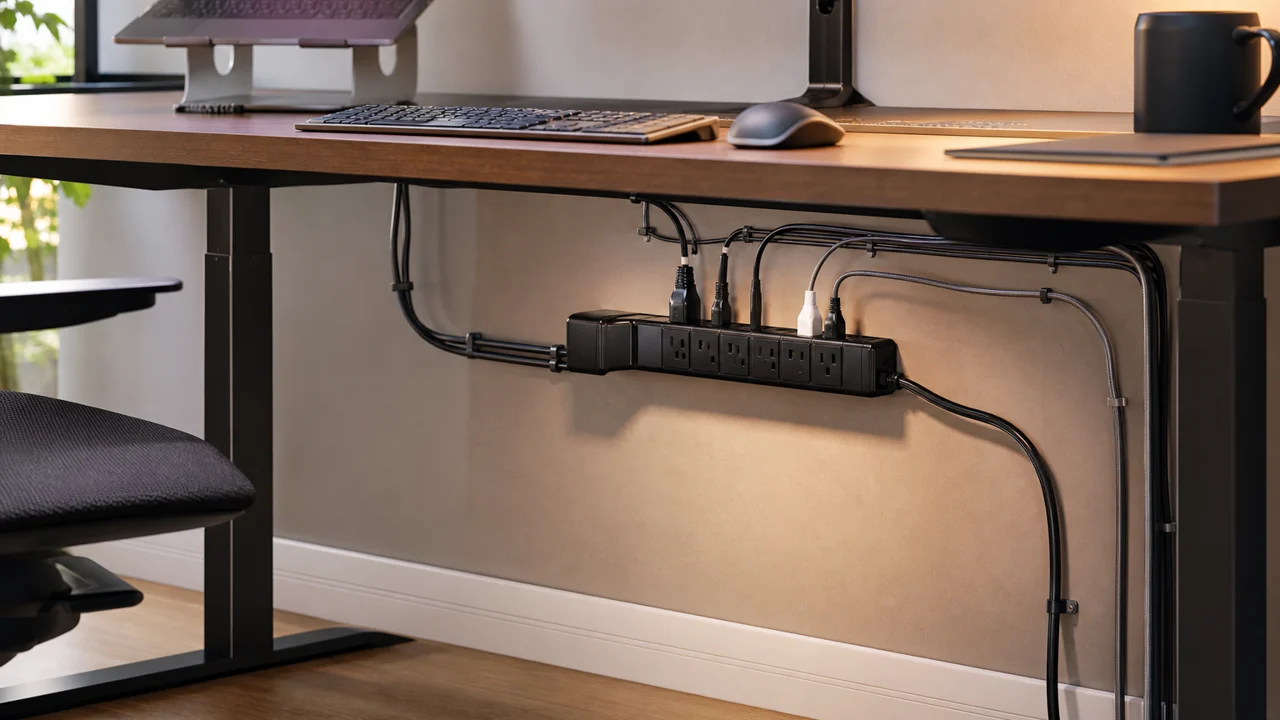
Start an office power setup by listing what will stay connected: monitors, a dock, laptop chargers, speakers, and any equipment with a bulky power adapter. Count the outlets those plugs will actually occupy, check the strip’s rated load and safety certification, and choose a cord route that stays clear of chair wheels and walkways. A good office surge-protection setup balances usable spacing and sensible placement rather than relying on outlet count or a large joule number alone. This guide explains how those choices fit together and when battery backup is a separate requirement.
This page is editorial guidance, not electrical advice. It focuses on visible product-selection details, safer habits, and common buying mistakes. If there are damaged outlets, frequent breaker trips, warm plugs, or wiring concerns, involve a qualified professional instead of trying to solve the problem with another adapter.
Start with the equipment list
For office surge protectors and power strips, this check keeps the purchase grounded in real use. Look at plug spacing, cord direction, desk legs, floor paths, cleaning access, and whether the equipment should stay on during an outage. The right answer for a printer corner may be different from the right answer for a laptop docking station.
A practical example is a small office desk with two monitors, a dock, laptop charger, desk lamp, phone charger, and occasional label printer. The listed outlet count may look generous, but two bulky adapters can block neighboring sockets. That is why usable spacing matters more than the number on the package.
- Do not daisy-chain power strips.
- Keep strips visible enough to inspect and reset.
- Match cord length to placement instead of stretching across a walkway.
Count usable outlets, not advertised outlets
For office surge protectors and power strips, this check keeps the purchase grounded in real use. Look at plug spacing, cord direction, desk legs, floor paths, cleaning access, and whether the equipment should stay on during an outage. The right answer for a printer corner may be different from the right answer for a laptop docking station.
A practical example is a small office desk with two monitors, a dock, laptop charger, desk lamp, phone charger, and occasional label printer. The listed outlet count may look generous, but two bulky adapters can block neighboring sockets. That is why usable spacing matters more than the number on the package.
- Do not daisy-chain power strips.
- Keep strips visible enough to inspect and reset.
- Match cord length to placement instead of stretching across a walkway.
Place the strip before cable clutter starts
For office surge protectors and power strips, this check keeps the purchase grounded in real use. Look at plug spacing, cord direction, desk legs, floor paths, cleaning access, and whether the equipment should stay on during an outage. The right answer for a printer corner may be different from the right answer for a laptop docking station.
A practical example is a small office desk with two monitors, a dock, laptop charger, desk lamp, phone charger, and occasional label printer. The listed outlet count may look generous, but two bulky adapters can block neighboring sockets. That is why usable spacing matters more than the number on the package.
- Do not daisy-chain power strips.
- Keep strips visible enough to inspect and reset.
- Match cord length to placement instead of stretching across a walkway.
Know the limits of surge protection
For office surge protectors and power strips, this check keeps the purchase grounded in real use. Look at plug spacing, cord direction, desk legs, floor paths, cleaning access, and whether the equipment should stay on during an outage. The right answer for a printer corner may be different from the right answer for a laptop docking station.
A practical example is a small office desk with two monitors, a dock, laptop charger, desk lamp, phone charger, and occasional label printer. The listed outlet count may look generous, but two bulky adapters can block neighboring sockets. That is why usable spacing matters more than the number on the package.
- Do not daisy-chain power strips.
- Keep strips visible enough to inspect and reset.
- Match cord length to placement instead of stretching across a walkway.
Check heat, age, and wear
For office surge protectors and power strips, this check keeps the purchase grounded in real use. Look at plug spacing, cord direction, desk legs, floor paths, cleaning access, and whether the equipment should stay on during an outage. The right answer for a printer corner may be different from the right answer for a laptop docking station.
A practical example is a small office desk with two monitors, a dock, laptop charger, desk lamp, phone charger, and occasional label printer. The listed outlet count may look generous, but two bulky adapters can block neighboring sockets. That is why usable spacing matters more than the number on the package.
- Do not daisy-chain power strips.
- Keep strips visible enough to inspect and reset.
- Match cord length to placement instead of stretching across a walkway.
Use a simple buying framework
For office surge protectors and power strips, this check keeps the purchase grounded in real use. Look at plug spacing, cord direction, desk legs, floor paths, cleaning access, and whether the equipment should stay on during an outage. The right answer for a printer corner may be different from the right answer for a laptop docking station.
A practical example is a small office desk with two monitors, a dock, laptop charger, desk lamp, phone charger, and occasional label printer. The listed outlet count may look generous, but two bulky adapters can block neighboring sockets. That is why usable spacing matters more than the number on the package.
- Do not daisy-chain power strips.
- Keep strips visible enough to inspect and reset.
- Match cord length to placement instead of stretching across a walkway.
Product shortlist next step
Use these checks alongside LeStallion’s best surge protectors and power strips for office equipment review, then compare the shortlist against your actual devices and room layout.
FAQ
Should every office device use a surge protector?
Sensitive electronics often benefit from surge protection, but high-draw devices and wiring concerns need manufacturer guidance and safe circuit planning.
When is a UPS better?
A UPS is useful when equipment needs time to shut down safely or stay on briefly during an outage.
Related guides
Outlet spacingJoule ratingsCord placementUPS vs stripMaintenanceBuying mistakesPrevious cloud article: conference speakerphone guide